Factory Digital Twin Automation
Results at a glance

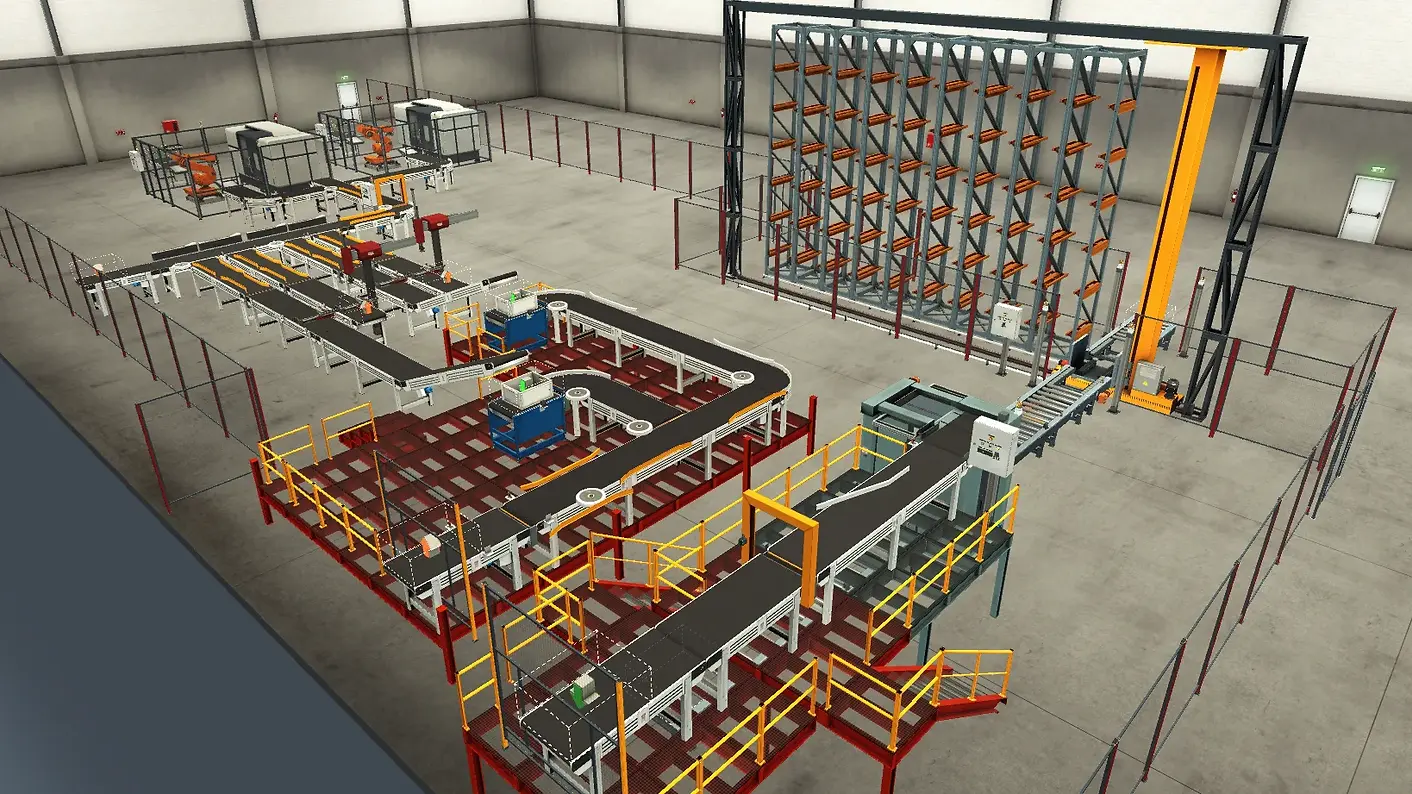
End-to-End Smart Factory
Complete digital twin of a factory with 5 distinctive stations, all running simultaneously

143 I/O Points
Fully mapped and controlled every sensor, actuator, conveyor, RFID reader, and device across the entire factory in real time

Modular Production-Grade Code
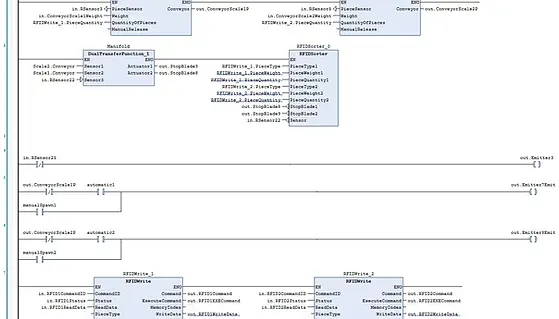
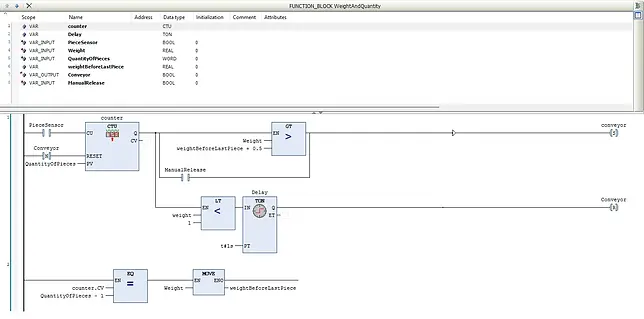
Designed 100% reusable function blocks from scratch, enabling rapid development, easy maintenance, and on-the-fly modifications

2-Week Sprint Delivery
Solo project completed in just two weeks
Overview
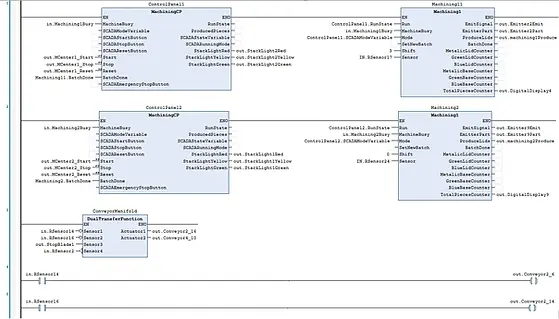
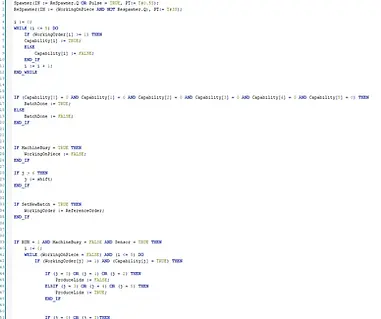
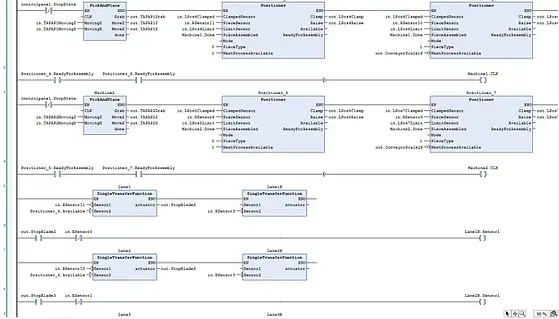
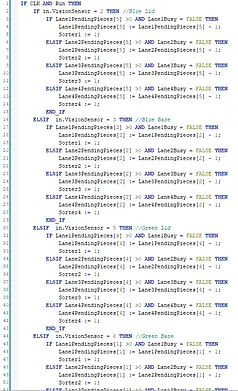
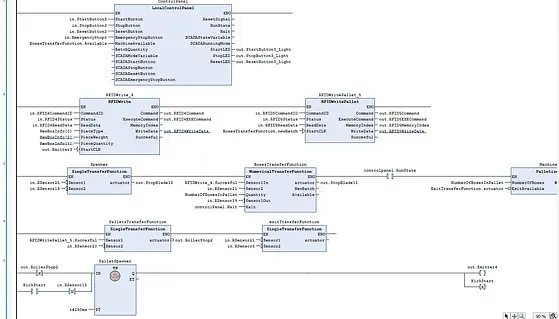
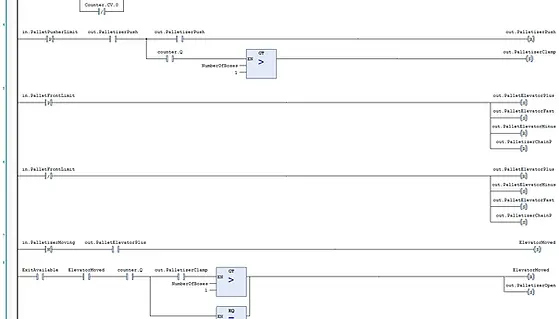
This project stands consisted of a fully synchronized, real-time digital twin of an entire smart factory, engineered from absolute zero in just two weeks. Built exclusively in Codesys using Ladder Diagram and Structured Text, and seamlessly integrated with Factory I/O, the system orchestrates every stage of production with 143 meticulously mapped I/O points.
Every station operates concurrently with flawless handshakes, real-time data propagation, and multiple control modes (Automatic, Semi-Automatic, Manual). The architecture follows strict professional standards: fully modular function blocks, rigorous reusability, clean data structures, comprehensive diagnostics, and production-grade maintainability.
During the final evaluation, the professor conducted intense one-on-one live testing, demanding on-the-spot modifications under pressure. The system performed flawlessly, earning a perfect 10/10 in one of the program’s most demanding and failure-prone courses
Dual CNC Manufacturing Stations
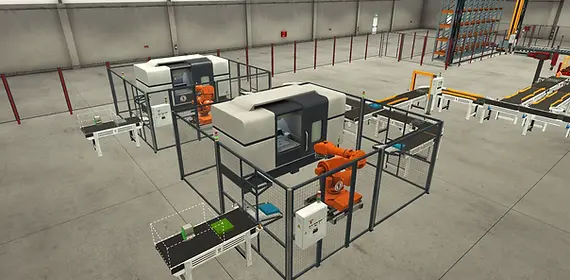
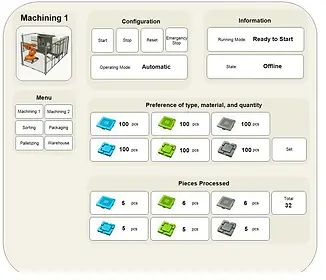
The first station are two parallel CNC cells that form the entry point of the factory. Through their rich digital interface, the operator defines exact production orders:
piece type, material, and required quantity. Once started, both machines operate autonomously, manufacturing pieces without further intervention and releasing them onto the main conveyor in coordinated sequence.
The station features robust physical panels with Start/Stop/Reset and emergency stop, plus a comprehensive digital HMI that displays real-time production status, remaining pieces, and machine availability.
Process:
-
The number and type of pieces is selected via the digital interface.
-
The raw pieces are inputed into the workstation, the machine outputs the desired pieces one by one.
-
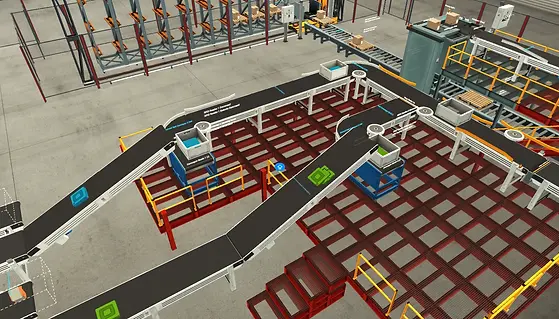
The processed pieces move through automated conveyers, that converge on the input of the next station and ensure that pieces move in an orderly and uncrowded manner.
Functions:
-
The exact type of pieces and manufacturing numbers are easily selected via the digital interface.
-
The SCADA interface maintains a tracker of pieces produced.
-
The station has 3 operating modes: Automatic, Semi-Automatic, and Manual.
-
Automatic: The station sequence starts as soon as a piece arrives at the station and it is active and standing by.
-
Semi-Automatic: The station will perform a custom batch of pieces and then await for the operator to press the start button to do a new batch of pieces.
-
Manual: A piece is only processed when the operator presses the start button for every singe piece.
-
-
The station can be controlled via the SCADA interface or via the physical control panel next to the machine, they both show the same indicators and status lights.
Intelligent Sorter and Assembling Station
Process:
-
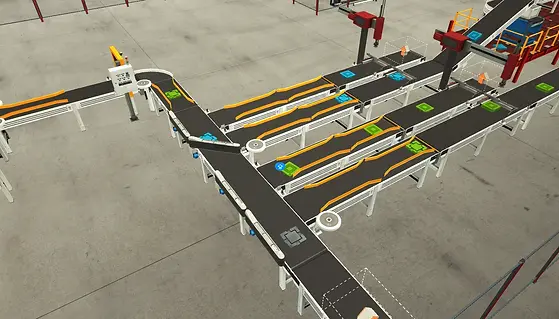
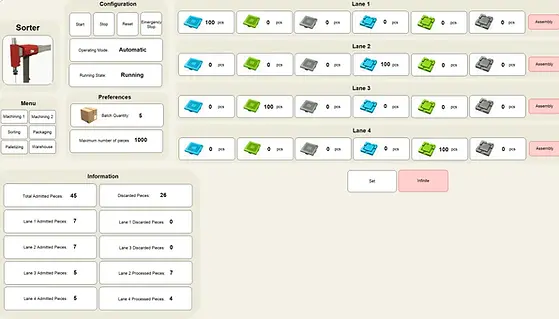
The number and type of pieces that will be sorted in each lane is selected via the digital interface.
-
The operator selects wether the pieces will be assembled together with the use of a pick and place machine, or if they will just continue their process to the next station.
Functions:
-
The exact type and number of pieces is easily selected via the digital interface.
-
The SCADA interface maintains a tracker of pieces that has passed through each lane, and how many have been discarded or assembled.
-
The station has 3 operating modes: Automatic, Semi-Automatic, and Manual.
-
Automatic: The station sequence starts as soon as a piece arrives at the station and it is active and standing by.
-
Semi-Automatic: The station will perform a custom batch of pieces and then await for the operator to press the start button to do a new batch of pieces.
-
Manual: A piece is only processed when the operator presses the start button for every singe piece.
-
-
The station can be controlled via the SCADA interface or via the physical control panel next to the machine, they both show the same indicators and status lights.
Order Fulfillment / Weighing & RFID Writing Stations
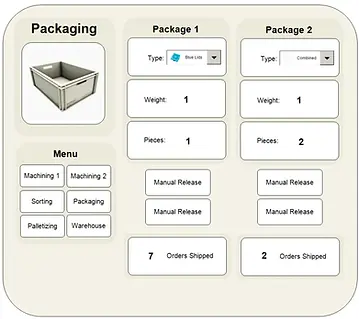
The third station are two precision weighing stations that fulfill box orders based on piece type, count, and/or target weight. The system automatically verifies order completion before releasing the box downstream. Operators configure exact box recipes through the digital interface that also shows real-time counts per fulfillment line.
Before being released, each box receives a permanent digital identity. The station reads the box position, then writes a complete data package to the embedded RFID tag: contents list, piece types, quantities, total weight, order ID, and timestamp. This creates an unbreakable data chain that travels with the product throughout the factory.
Process:
-
The boxes are filled with the pieces coming from the sorter.
-
The operator selects the type of content of the boxes and either the desired weight or the number of pieces required per each box.
-
When either the weight or the number of pieces is reached, the box RFID tag is written, and the box is released to continue the conveyor process to the next station.
Palletizer Station
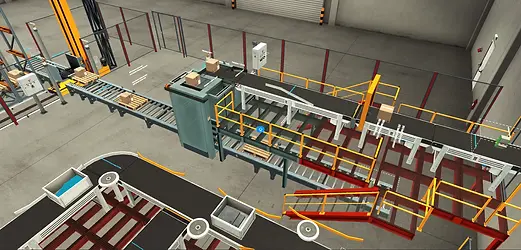
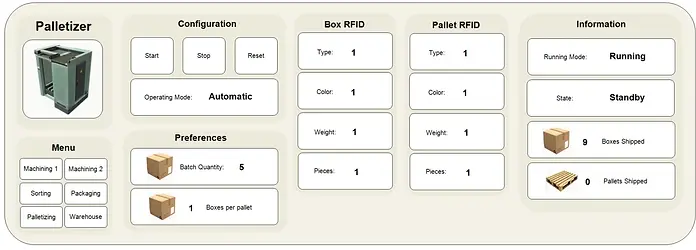
In the second to last station, incoming boxes have their RFID tags read and data cached. The station then stacks them onto pallets (configurable 1–4 boxes per pallet). Upon reaching the target count, it compiles and writes a comprehensive summary to the pallet’s RFID tag: Pallet ID, list of contained boxes, aggregated contents, total weight, and order information.
Process:
-
When the first box arrives, the system releases an empty pallet, which is used to stack the required number of boxes per pallet (set on the SCADA system)
-
When the pallet is full, its RFID tag is written with the all its content's information.
-
The pallet is released.
Functions:
-
The SCADA interface for the station keeps track of the contents stored in the pallet and the individual boxes.
-
The number of boxes per pallet can be set from 0 to 4.
-
The station has 3 operating modes: Automatic, Semi-Automatic, and Manual.
-
Automatic: The station sequence starts as soon as a piece arrives at the station and it is active and standing by.
-
Semi-Automatic: The station will perform a custom batch of pieces and then await for the operator to press the start button to do a new batch of pieces.
-
Manual: A piece is only processed when the operator presses the start button for every singe piece.
-
-
The station can be controlled via the SCADA interface or via the physical control panel next to the machine, they both show the same indicators and status lights.
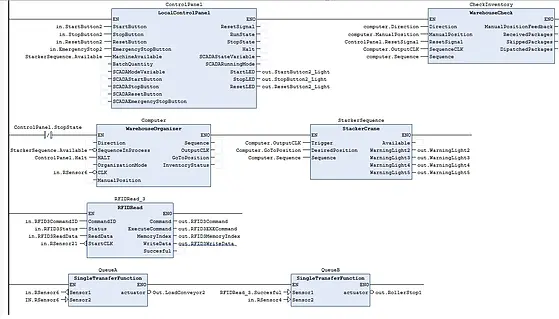
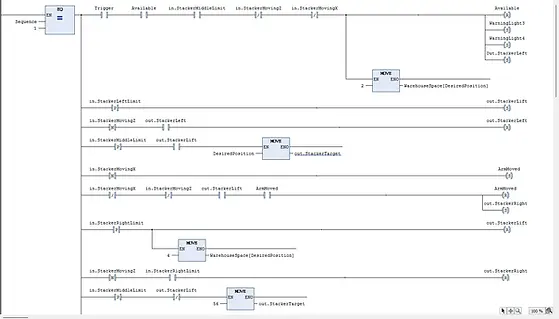
Intelligent Warehouse with Automated Stacker Crane
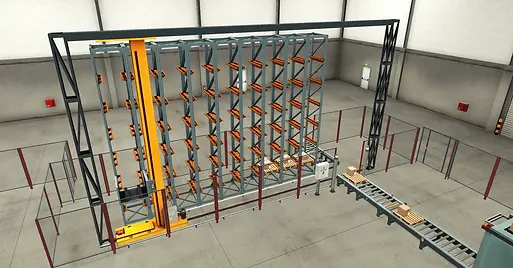
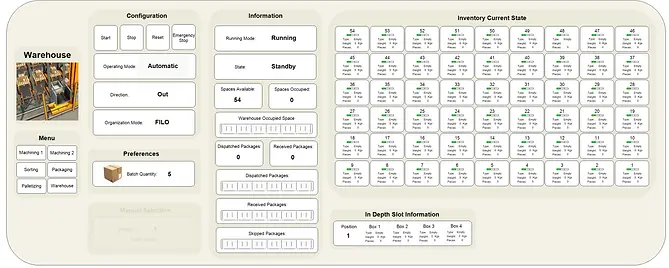
Last in the series was a fully functional automated warehouse with 54 storage positions managed by a high-speed stacker crane. Before admission, each pallet’s RFID is read and validated. The powerful SCADA interface lets the operator choose store/retrieve mode, warehouse strategy (FIFO, LIFO, or manual slot selection), and provides stunning real-time visualization of every rack position (Empty / Filling / Occupied) with detailed content, weight, and piece information. Global statistics (occupancy rate, dispatched/received packages) are always visible.
Process:
-
When a pallet arrives at the station, the availability of space in the warehouse is checked, in case that there is no space left, the pallet goes through the stacker crane and is not processed by the station.
-
In the case that there is space available, the RFID tag of the pallet is read and the system automatically assigns it a location. The automatic stacker crane then grabs the pallet and moves it to the assigned location.
-
The content data acquired through the RFID is then written on the SCADA interface, so that the content (number of boxes, the type of materials in them, the weight, and the quantity of peaces) of each pallet is visible.
-
When it is desired to remove a pallet, it can be easily done via changing the "direction" selector in the SCADA interface, choosing the dispatching mode, and pressing the start button; the stacker crane will automatically retrieve the pallet and dispatch it.
Functions:
-
The SCADA interface for the station keeps track of the contents stored in the station up to the individual boxes per each pallet.
-
The "direction" of the pallets can be changed via the SCADA interface or in the physical control panel, by changing it, the station will either store incoming pallets or retrieve and dispatch previously stored panels.
-
The organization mode can either be:
-
First In, First Out
-
First In, Last Out
-
Manual Selection
-
-
The station has 3 operating modes: Automatic, Semi-Automatic, and Manual.
-
Automatic: The station sequence starts as soon as a piece arrives at the station and it is active and standing by.
-
Semi-Automatic: The station will perform a custom batch of pieces and then await for the operator to press the start button to do a new batch of pieces.
-
Manual: A piece is only processed when the operator presses the start button for every singe piece.
-
-
The station can be controlled via the SCADA interface or via the physical control panel next to the machine, they both show the same indicators and status lights.
Download Project Resources

All Code & Designs released under MIT License - For educations & non-commercial use